Sunday, 18 June 2017

June Round Up: The Networked Educator Challenge


"The biggest difference I found was this way in which people are aware of one another while they are learning, and the way in which they connect and build and improve."


Lights flickr photo by Jule'Kill shared under a Creative Commons (BY-NC) license

We have made it to month two of our five-month educator-portfolio challenge.

This month we welcome a few new educators to the group (so if you are reading this, and you are keen to join, please leave a comment below and we will be sure to include you in updates for month three). For this month, the optional prompts were posted here.  Every month we will have prompts, and every month they are merely suggested ways to frame your post.  For July, our participants have helped to suggest prompts, and you can find those here (feel free to tell us about your suggestion for a prompt in the comment section).

If you are looking for added support with Wordpress, this playlist has a wonderful collection of resource to browse.

Without further ado, here are the June bundles.


Sharing flickr photo by Andrii Zymohliad shared under a Creative Commons (BY-SA) license 

Thursday, 15 June 2017

Summer Book Creator Journal


As a kid, there were times when I kept a journal on and off. Sometimes those journals were longer pieces of writing and others they were bullet points of things I did.

Regardless of the format, I always loved looking back at my journals and remembering many of the different things that I did over the weeks and months.

Last summer, I thought it would be great for my own kids to keep a daily journal of some of the highlights of their days. We decided to use one of our favourite apps, Book Creator, to make the journals. It was such a great success that we are going to do it again this summer.


I learned a number of things along the way and I wanted to share what you can do to make your Book Creator summer journal a success.


1. Keep it Simple

One Post Per Day - No one likes a tedious task that needs to be done every day. This is especially true when one is on holiday. My kids knew they had to fill out a page for each day and share at least one thing that happened on that day. The posts were short but as the summer went on, they added more and more detail to their posts.

Speech To Text - It was easier for my daughter to use the speech to text function on the iPad to put the text into each page. It was vital that the kids could create the journal entries on their own or with very little support.

Simplify the Design - We decided on one size and style of font for the title and a different one for the writing. In keeping with good design, we kept these font throughout the book to make it easier. The only changes we made was to make the font white or black depending on the background image. To make this easier, they duplicated the page from the previous day and that way the page had the same size fonts. I said they could choose any font colour they wanted as long as it was black or white - no bright pink fonts here! We wanted to think about the reader of the book and not just choose our favourite colours.

Keeping it simple was really important because it made the daily task of creating a page doable and something that wasn't too much of a chore while on holiday.


2. Make it Visual

Use a Photo or Video - It is much easier for people to remember something when it is connected to a visual element. So every page had at least one photo or video to accompany the text. I made sure that I was capturing photos on my phone every day just in case my kids didn't. 

We tried to fill the page with a photo if we could and then put the text over top of the photo.


One of the great features of Book Creator is that I can add videos into the book. Sometimes these videos were of an event like being pulled on the back of a boat on an tube while others they were a video slideshow of many photos from the day made with Quik.


3. Get into a routine

Our routine was for the kids to do their journal entry first thing in the morning. We didn't want to do a week's worth of entries all at once because it was too hard to remember the details of what had happened. 

The details of day are the things that we forget and so these are the things worth remembering. They are the aspects that are really fun to look back on. 

One thing about using Book Creator on the iPad is that the journal is only in one place. This has it's benefits and its drawbacks. The iPad is very portable so it is easy to travel with and we don't need internet to use Book Creator. The main drawback of being on one device is that there is no backup. If something goes wrong with the app or the iPad, you could lose everything. An easy solution to this is to periodically download the ePub file which can be easily edited on another iPad which also has Book Creator. If you haven't used Book Creator before, here is a quick tutorial to help you get started.

I am really looking forward to seeing what my kids create this summer in their journals. Last summer's journals are fun to look back on. In the future, and as the kids get older, maybe the next step will be to use iBooks Author instead of Book Creator. We will see. For now, Book Creator will be the place where we store our summer memories.


Tuesday, 13 June 2017

30+ resources to help you rethink your learning space (and counting)


Recharging your batteries over the summer is a good time to being to rethink your classroom design for next year (or to finally catch up on Netflix).  To help you prioritize and innovate, here are 30+ resources to get you started (follow the Flipboard to get all the updates as they come):

View my Flipboard Magazine.


"Designing for Inquiry, Exploration, and Creation

Learning spaces designed for inquiry do not emphasize a demarcation between teacher and student spaces, have no set “front of the room,” create makerspace-type areas for students to create, tinker, and design, and employ instructional pedagogies that push students to ask questions and seek understanding—not listen to information and regurgitate. The problems of tomorrow will be solved by those students who have such opportunities today." (Full Edutopia article by Eric Sheninger, Thomas C. Murray)

Monday, 5 June 2017

Digital Bytes - 12th June, 2017


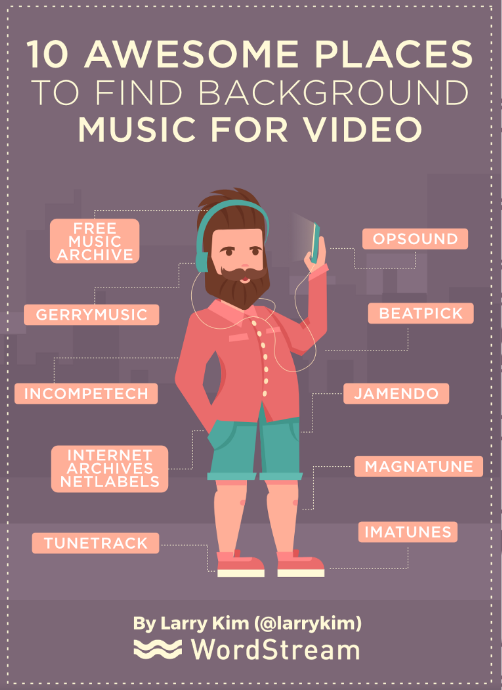
10 Great Places to Find Background Music For Video

We all know the difference music can make in video to help set the mood and support the visual component.

We have already looked at Creator Studio which is part of your YouTube account and is a great source of free music.

Here are 10 more places you can find music for videos. Some of these sites are musicians who are sharing their music and others are collections of royalty free music from around the internet.
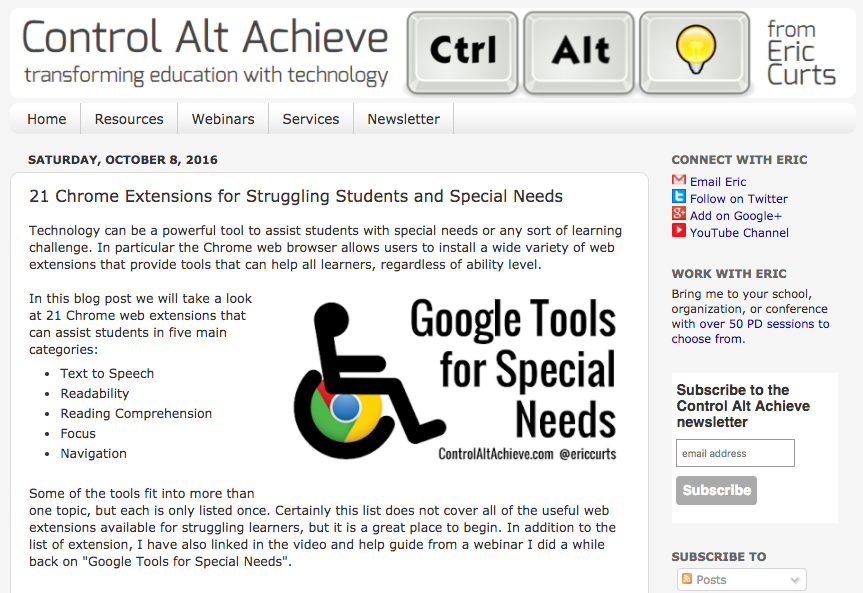
21 Chrome Extensions for All Students


However, the Chrome Extensions mentioned in the article can benefit all students and help support with features like text to speech, readability, reading comprehension, focus and navigation.

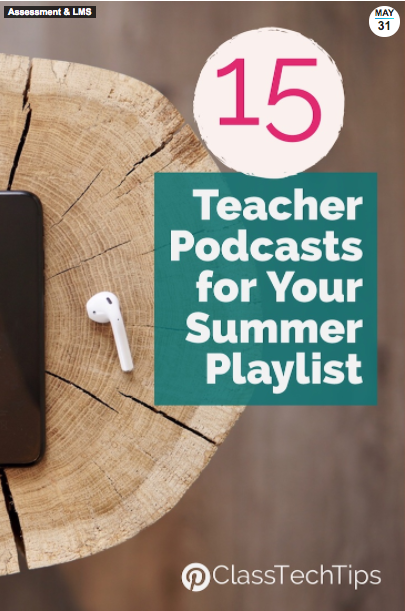
15 Teacher Podcasts for Your Summer Playlist

With summer just around the corner, there are probably a number of times where you will be sitting around not doing much (or, let’s face it, awake in the middle of the night with jetlag).

A great thing to fill this time is a podcast. Here is a list of 15 Teacher podcasts that have something for everyone. Everything from Vicki Davis’ 10 minute podcast to the Dr. Will Show which features a variety of leaders in education.