Showing posts with label maker. Show all posts

Monday, 20 March 2017

Digital Bytes - 20th March, 2017


DIY.org

This amazing site is a fantastic starting point for anyone interested in student-driven inquiry.

There are over 130 different skills/interests to look through and thousands of projects to try.


What is Media Literacy?

This YouTube Video answers the question ‘What is Media Literacy?’ and provides 5 key questions to answer when viewing any source of information. The key questions help determine biases in the information, and examine why it was produced in the first place.


Google Docs Blackout Poetry

Blackout Poetry is the process of taking an existing text, selecting the words you want to form your poem, then shading in all of the extra words. Eric Curtis has come up with a clever hack for doing this process in a Google Doc. Check out his blog post which explains how he does it!

Monday, 23 January 2017

Digital Bytes 23rd January 2017


Piktochart
Piktochart is a fantastic free tool that allows you to create infographics and posters very easily. Students can easily sign in with Google Drive. There are searchable icons and images you can use. This is perfect for a mathematics class or anyone presenting information or research (hint, hint … grade 5 exhibition).
MindShift.jpg
18 Digital Tools to Support Students’ Reading and Writing
Exploring a range of options for supporting students’ reading and writing is always a good idea, and the folks at Mind Shift have put together a great list of examples. Take a look and get some new ideas to refresh your literacy teaching.
Kindergarten Lego Makerspace
Librarian David Barrow talks about his journey of creating a makerspace for kindergarten students. He started with a more structured approach but eventually gave up some structure which led to more success.

After sharing some stop motion videos from older grades and giving the kindergarten students Lego, the students created their own stories and making stop motion videos. The flexibility of Lego allowed them to create stories that were meaningful to them.


Monday, 12 December 2016

Digital Bytes - 12th December, 2016 - Holiday Edition


Santa Tracker

Santa Tracker is a fantastic site by Google. In advent calendar style, each day a new activity gets uncovered. Present Bounce is a neat game, but there are also opportunities to learn about traditions and translations from other countries. Younger children will enjoy Santa Selfie, a Toca Boca style game where you give Santa a haircut. Santa Tracker will work on laptops or iPads, so give it a go!

2016 Holiday Gift Guide for Awesome Young (and old) Makers

@DianaLRedina has put together a great roundup of holiday gifts for all budgets on her blog Renovated Learning. She has suggestions for the robot obsessed, future engineers, crafty ones, and a helpful list of Maker-inspired books to read too.

Our personal favourite: Austin Kleon’s Steal Like an Artist.

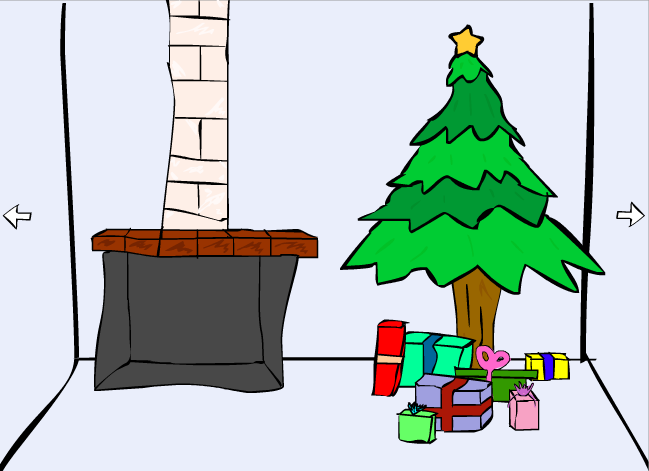
Escape the Room - Christmas Edition

This is a great problem solving challenge similar to BreakoutEDU, but in Digital form. In Christmas Fix, you have to explore a number of rooms and look for clues and items that you can collect to help you solve the mystery, fix the clock and save Christmas. This game runs on flash, so won’t work on an iPad. Game will start after the advertisement runs.

Monday, 21 November 2016

Digital Bytes - 21st November, 2016


Instructables

Instructables is a great site for seeing what people are making and sharing what you have made.
It doesn’t matter what you want to make, a cake, a cardboard robot or anything in between, you can share your process on the site.
There are also challenges which you can take a part in if you want.
Lance Makes

This website is a great source of projects and ideas for making things.
The website includes lesson plans and video and can be a great starting point or just used for inspiration.
You’ll find hydraulic judo robots, marble roller coasters, paper rockets and more.
5 Minutes For Fun
Shaun Kirkwood, who recently keynoted at the iPad Conference, advocates that teachers should take 5 minutes out of their day to do something fun with their students. This can be a mini project, game, creating something, drawing, etc. The possibilities are endless! There are ideas everywhere - feel free to make up your own. Put a picture on twitter and add the #5mins4fun hashtag.

Monday, 7 December 2015

Digital Bytes - Christmas Edition - December 7th, 2015

With Christmas just around the corner, here are some fantastic gifts for those kids on your Christmas list. Also, this week is Week of Code where students are challenged to spend an hour writing code. Check out the amazing activities on Code.org or Khan Academy.


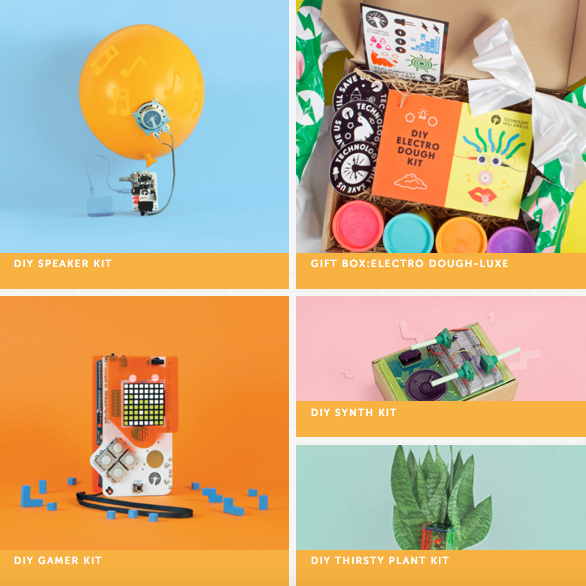
Technology Will Save Us
I really love the options available on this site because there is a mix of technology and hands on.
Purchase a kit that will enable you to create a speaker out of a balloon, or take Play Dough a step further with Electric Dough. There really is something for everyone.
Get the whole family involved in a hands-on project.
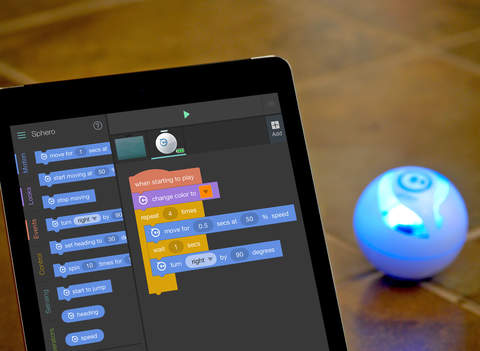
Sphero, Ollie or Drone
If you haven’t heard of Sphero, Ollie or mini Drone, it is time you did because this will be the most fun you have this Christmas. Combined with free Tickle app will have your kids enjoying coding and learning. What more could you ask for? Or you could go for the epitome of cool and get the BB8 sphero. If you wanted a cheaper option or something for younger kids, then check out the Ozobot.
Low Tech, but Tech Thinking
There are a ton of great products out there that you and your kids can use to help support logical thinking and reasoning.
Christmas Games
A number of free games which challenge you to explore and solve a problem.
They are free and fun for an individual or small group of kids.
Week of Code
This week is the week of Code where everyone is challenged to spend an hour writing code.
Try out the Star Wars challenge where kids have to try to use code to move BB-8 and R2-D2 through obstacles or take Steve and Alex on an adventure in Minecraft. Also take a look at the activities on Khan Academy.