Pixar: The Art of Storytelling
We are all storytellers. Here is your chance to learn from the master storytellers at Pixar through this Khan Academy course which takes you through the process of telling an effective story.
There are videos and activities that make this a great process for you and your students regardless of the medium you are using to tell your story.
| |
Adobe Spark Video
A number of our grade levels have been creating movies with students and a fantastic tool to explore is Adobe Spark Video. It provides excellent structures to help students understand the elements of various genres of videos.
You can easily log in with your Google account (students can log in with your class account).
| |
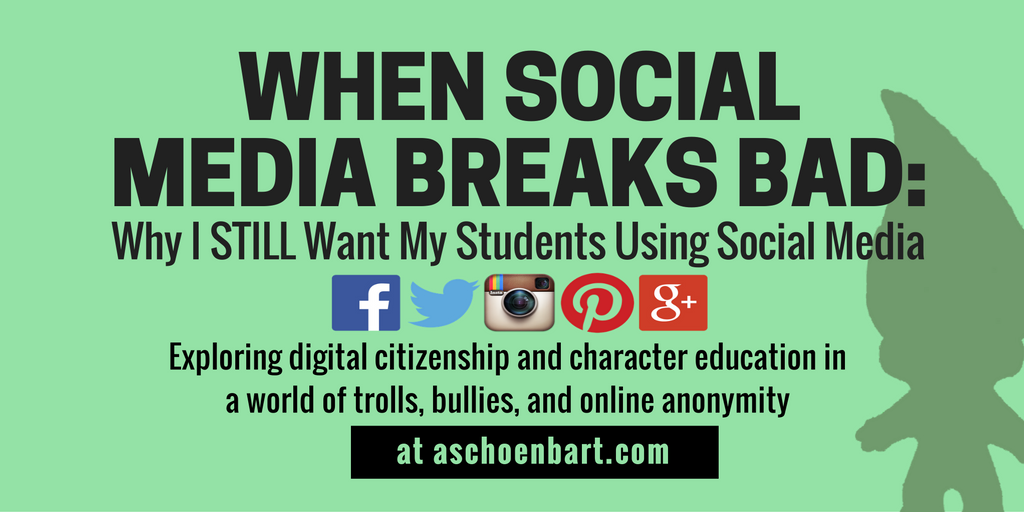
When Social Media Breaks Bad: Why I STILL want my Students Using Social Media
Things don’t always run smoothly when using social networks. It would be easy to shut down access and avoid having to risk potential problems. However, our students need us to support them in dealing with conflicts, such as the “11 year old troll” mentioned in the article. This is a great read from @MrShoenbart, which we encourage you to check out!
|
Monday, 27 February 2017
Digital Bytes - 27 Feb, 2017
Labels:
adobe,
adobe spark,
Khan academy,
Pixar,
Pixar in a Box,
social media,
storytelling
Saturday, 25 February 2017
Follow along with the Learning Spaces Book Club
What do our learning spaces say about our learning?
I’ve begun to assemble a Flipboard on Learning Spaces. This magazine is meant to compliment the broader reading the Learning Spaces Book Club will do. Our first text, is on it’s way here: feel free to read along with us, and join us in the #uwcLearnSpaces conversation to be, found on Twitter. If you didn't sign up for the club, but you'd like to have someone pass on their book to you, please let us know by commenting to this post.
If you want to learn more about 'next practice' for learning spaces, here are three amazing people who are leading the thought-athon on that topic. If you aren’t following these big brains on Twitter, stop reading this post, and bring them into your PLN now:
If you are reading this right now, and you have a favorite text/resource when it comes to learning spaces–or if you have a great question to ask when it comes to classroom redesign, please share in the comment section.
Wednesday, 22 February 2017
Friday Friendly Advice: Google Slides to co-author an eBook?
Google is great and getting better and better.
Did you know you can change the size of a slide in Google Slides to build an eBook?
STEP ONE: Go to file, and select 'Page Setup'
STEP TWO: select 'custom' and resize your slide
STEP THREE: edit your book, set up a template and share: you can now collaboratively co-author an eBook
While there isn’t an automatic table of contents generator you can build this in yourself.
You can link your table of contents to the slide/page by going to Insert>Link and then simply select the slide number.
If you would like to print a hard copy, remember that you can always save your Google Presentation as a PDF, this option is under FILE.
But wait, there's more...
You don't have to start from scratch. SlidesCarnival has an amazing assortment of templates, just like this one.
Make a copy of any template, and follow the directions above to resize and off you go.
I need great images, but I find attribution a bit tricky...
Use Pexels--wonderful free to download images, no attribution necessary--and you can modify or edit images as needed (read more on that here).
Here's a sample image from their collection:
Labels:
collaboration,
ebook,
images,
Slides,
SlidesCarnival
Monday, 20 February 2017
Digital Bytes 20th February 2017
Kindness: A Lesson Plan
The folks at Edutopia have put together another great article on ways of incorporating more kindness into your classroom. With detailed suggestions and resources, you are bound to get some new ideas to enhance your personal and social education lessons.
We could all use a little more kindness in our lives.
| |
Starter Questions for Seesaw reflection
During a twitter chat on the weekend about portfolios, one of the teachers shared a padlet of questions prompts and sentence starters that students can use for reflection. Sometimes, reflections can become “same-y” and a little stale. Why not refresh your reflections with this padlet?
| |
Spreadsheet Activities for Every Subject
Eric Curts has put together 5 ways spreadsheets can be used by students. Check out his webinar, or scroll down to explore each of the 5 suggestions in a shorter format. I think the pixel art challenge could be a fun activity!
|
Labels:
Digital Bytes,
kindness,
Padlet,
reflection,
Seesaw,
spreadsheets
Subscribe to:
Posts (Atom)


