Easiest Slideshow Ever!
With the newest update to iOS, you have access to the easiest slideshow making tool we have ever seen: Memories.
Simply put a number of photos into a folder on your iPad or iPhone,, open the folder and tap on the dates at the top of the screen and your slideshow is made! You can add or take out photos and even include videos.
| |
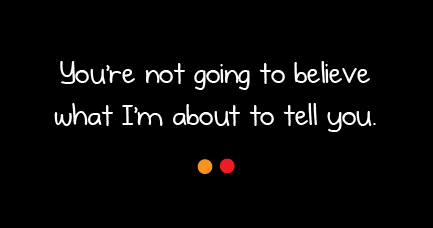
You’re Not Going to Believe What I’m About to Tell You
The Oatmeal has produced a classroom-friendly cartoon about the Backfire Effect - the reasons why people find it difficult to accept information that challenges their world view. This graphic is best suited to students G5 and above, but will be an interesting read for all teachers.
| |
Digital Breakout
BreakoutEDU is a fantastic experience which focuses on a group’s ability to work together and solve a series of problems.
Digital Breakouts have no physical components and only need an internet connected device. There are different challenges for various age levels. Try them out yourself!
|
Monday, 8 May 2017
Digital Bytes - 8th May, 2017
Labels:
BackFire Effect,
breakout,
BreakoutEDU,
digital BreakoutEDU,
iOS,
photos,
slideshow
Friday, 28 April 2017
Why Digital Literacy and Learning Spaces belong together.
"The teacher no longer needs to be the holder of information...but rather can become a co-learner..."
When we reenvision our spaces together, what do we learn together?
You may have seen a few posts documenting this year's experimentation and thinking around learning spaces in this post, this post, this episode or this one. Like all aspects of doing what we do well as educators, that journey is multi-faceted, ongoing, and collaborative.
Where does Digital Literacy fit in?
Everywhere. As our digital tools continue to enable more self-directed, collaborative, and authentic learning experiences, our physical spaces need to evolve with that shift. Consider the changes you've seen in airports, banks, and movie theatres: technology has changed the way those spaces are streamlined and structured. So what might that mean for your room?
Spaces which allow for collaboration and independent inquiry
Spaces which value choice and independence
| All signage custom made for the theme using The Noun Project for support |
How does a shift in our learning space design shift our thinking about online spaces?
With better online spaces, we are able to better preserve, share and curate resources. How often do we post something with size font 12 writing to a wall--rendering it visible only to those directly in front of it, and only when they are in the physical space.
Which resources are better presented through our college's digital tools?
And to what extent do our digital tools better allow us to generate an ongoing dialogue with those resources with our learners?
Additionally, which physical resources can we provide access to in our digital spaces?
When we worked with Georgina to revamp her room, the signage was intentionally organized to be readily accessible to students regardless of their location (see these IBDP Psychology provocations linked to her new room theme #pathways). That slide deck is now accessible to students even after they graduate. It makes use of open use images, and can easily be shared with DP Psychology teachers outside of the college for feedback and future exchange (in just three days it has been viewed 35 times).
Which resources are better presented through our college's digital tools?
And to what extent do our digital tools better allow us to generate an ongoing dialogue with those resources with our learners?
Additionally, which physical resources can we provide access to in our digital spaces?
When we worked with Georgina to revamp her room, the signage was intentionally organized to be readily accessible to students regardless of their location (see these IBDP Psychology provocations linked to her new room theme #pathways). That slide deck is now accessible to students even after they graduate. It makes use of open use images, and can easily be shared with DP Psychology teachers outside of the college for feedback and future exchange (in just three days it has been viewed 35 times).
Can a classroom revamp remind us of the power of networked learning?
When looking to remodel Louie's Chemistry classroom, we wanted to be able to use a few amazing images we found online. Via Twitter, we contacted the creator, and he responded...within the hour:
How does a focus on learning spaces remind us of the power of our digital tools?
Whist commonly overlooked as resources, Keynote and Pages have been essential tools of the various classroom revamps happening. Now, more than ever before it is easier to make signage which perfectly reflects our learning ethos and speaks to the culture of our various classrooms.
Lastly....
These collaborative classroom revamps have reminded us that we can make creative work together. Rethinking classroom design asks us to speak with people across faculties and schools to better understand our different educational philosophies in order to better showcase a physical and digital representation of our passion for all things learning.
Wednesday, 26 April 2017
Non-Fiction Text Features: Incorporating the Digital
There is so much to be gained from walking through the corridors of your school and popping in to see what classes are doing.
This morning, I happened to pop into Kim Duffy's Grade 3 class and discovered a really neat learning experience the class was exploring on Non-Fiction Text Features in digital books.
Kim had set up a Google Doc for her kids with different text features noted on the side. Students were to log onto MyOn (an online book library), and read Non-Fiction texts. They were to take a screenshot of each feature outlined in the table (see below). She had a column for the screenshots, and a column for students to explain why the feature is used.
See example of a student's work below:
Students now have a document with visual examples that they can refer back to when they create their own Non-Fiction books later on. We know that incorporating visuals helps students with retention of key information, and the fact that they actively searched for the examples of the text features will also be of benefit.
A few doors down, Daniel Withington was also looking at features of Non-Fiction text. It was great to see Grade 3 students identifying features of digital text as well, including hyperlinks, videos and search options. When Daniel's students think about writing Non-Fiction text, they will think more broadly about the features they need to consider as authors because of this introduction.It is wonderful to see teachers like Kim and Daniel naturally incorporate digital text as a part of their regular literacy lessons.
This reminds me of the arguments for teaching Digital Reading set forth in Kristin Ziemke's insightful blog post, Yes And... Thoughts on Print Versus Digital Reading. Kristin asks teachers to consider their own teaching practice:
"Take a moment to reflect:
How many minilessons have you taught this year that guide students to become effective digital readers?It is a privilege to work with teachers who can answer these questions with confidence.
Do you have anchor charts or scaffolds in place that will support them as they attempt to read digitally with independence?
Have you provided ample time for them to read diverse genres or self-select their onscreen reading material?"
Labels:
digital literacy,
online,
reading,
reading workshop
Monday, 24 April 2017
Recapping The Learning Spaces Book Club Meeting 1
![]() |
| Our first three texts |
Getting spaced out:
We started this journey by hosting consultant Maija Ruokanen (revisit her teachings in this episode of podcast UWCLearn). The DLCs then fanned those fuels as our in house #uwclearn spacebusters. Most recently a cohort of teachers across the college met last Friday to talk about our very first read for the Learning Spaces Book Club.
We started by looking at these questions in school specific teams:
The book club will meet again next August. In the meantime, we will continue to curate resources on this Flipboard.
What ideas will we return to?
Check out this visual summary (using Canva's infographic-maker tool) of our conversations:
Do you have thoughts on any of our questions?
Let us know your thoughts in the comment section below.
Subscribe to:
Posts (Atom)